Galaxy phone or tablet Smart View or Screen Mirror issues
Smart View can be used with Galaxy phones and tablets running Android 4.3 or above and with devices that support Miracast wireless display technology. This technology is built into most newer Samsung smart TVs. However, your phone or tablet must be connected to the same network as your TV in order to use this function. If Smart View is not working, restarting or rebooting your device will usually solve the issue. Keep in mind that DRM-protected contents cannot be mirrored.
Galaxy phone or tablet Smart View or Screen Mirror issues
Recommended Articles
A Screen Overlay error appears on Samsung phone or tablet
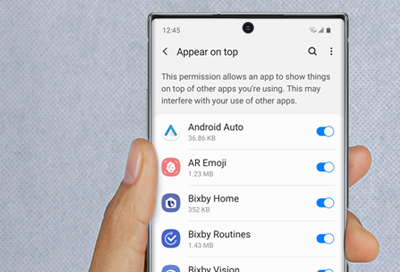
Screen Overlay is a function that allows apps to appear on the top of other apps. For example, some messaging apps may cause a chat bubble to appear in front of an open app, such as a browser.
Samsung phone or tablet freezes and crashes
When your Galaxy phone or tablet freezes or crashes, it can be really nerve-wracking. The good news is that this can probably be fixed without having to send it in for service. Performing simple actions like rebooting and updating the software are just a couple of the things you can do to prevent freezes and crashes in the future.
Samsung phone or tablet reboots repeatedly
Sometimes apps can cause random or constant reboots to happen on your phone or tablet. Follow these steps to troubleshoot this issue. You can perform a software update, factory reset, or turn on Safe mode to determine if an app is causing the issue.
We're here for you
Contact Samsung Support
Contact us online through chat and get support from an expert on your computer, mobile device or tablet. Support is also available on your mobile device through the Samsung Members App.