Samsung range or wall oven panel is blank, blinking, or incorrect
An icon appears on my Samsung oven display
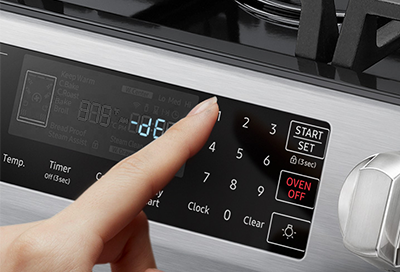
Icons are a quick and easy way to get information about what's going on in your oven, but they're not that useful if you don't know what they mean. If you see an icon and want to know what your oven is trying to say, you can refer to our list below.
An icon appears on my Samsung oven display
Important
Icons vary between models. For information about oven error codes, please see our error code guide.
Convection
For cooking modes, this indicates that convection will be used. For oven status, it indicates that convection is in use.
Delay Start
The oven has been programmed to start cooking at a later time. Do not confuse this with the Timer icon.
Keep Warm
Keep Warm has been enabled, which keeps cooked food warm for up to 3 hours.
Easy Connect
The oven is either connected to a phone or ready to be connected to one. Do not confuse this with the Wi-Fi icon.
Energy Saving
The energy saving function is enabled.
Child Lock
Child lock is turned on. This will cause your panel to not respond until it is turned back off again.
Microwave Mute
On microwave combination ovens, this indicates the microwave is muted.
Oven Light
The internal light in the oven is turned on.
Preheating
The oven is preheating.
Self Clean
The oven is performing a Self Clean cycle.
Steam Clean
The oven is steam cleaning.
Steam
A steam function is enabled. If this is accompanied by star icons, it indicates steam cleaning.
Temperature probe
The temperature probe is in use.
Kitchen Timer
The time display has various modes depending on the function in use. This icon indicates that the kitchen timer function is in use and the time display is the time remaining on the timer.
Cooking Time
The time display has various modes depending on the function in use. This icon indicates that Timed Cook is in use and the time display indicates the time remaining until the oven shuts off.
Wi-Fi
The oven is connected to Wi-Fi. This icon will be lit even when a mobile device is not connected, as long as the oven is connected to the network.
Recommended Articles
Odor or smoke from Samsung oven
Your oven is where the cooking happens, so every now and then certain types of smoke or odor are just to be expected. But how do you know what's normal and what's not? Well, there's three situations which affect whether odor or smoke are normal: first time use, during self cleaning, or during normal use. This guide will tell you about each.
Samsung range or wall oven panel is blank, blinking, or partially or incorrectly displayed
The display on your oven is intended to light up only the functions you need at any particular moment. If there seems to be an error on the display, such as incomplete digits, then cycling the power may reset the panel and get it working again.
We're here for you
Contact Samsung Support
Contact us online through chat and get support from an expert on your computer, mobile device or tablet. Support is also available on your mobile device through the Samsung Members App.